ABOUTAbout the
VRM Heroine Feature
VR-Kanojo offers a "VRM Heroine" feature that lets you display your favorite VRM 3D model as the heroine. Enjoy your time in VR with the character of your choice.
⚠ Before using VRM models (please read)
Each VRM model has its own terms of use and license set by its creator. Always check a model's terms before using it, and use it only within what is permitted. Because this title contains adult content, be especially sure to confirm whether sexual expression or modification is allowed. Do not use models in ways that infringe others' rights or that are prohibited by their terms.
This feature works right out of the box in the standard game version (v1.2.0 and later). Switching to the former dedicated "VRM Edition" is no longer required. Just place your .vrm file in the designated folder to use it.
What is the VRM Heroine feature?
VRM is a file format for 3D avatars (humanoid characters). Simply place your .vrm file in the designated folder, and the in-game heroine will be replaced with that model. Both VRM 0.x and VRM 1.0 are supported. In addition, in v1.2.0 you can now swap not just the heroine but also the male-role avatar for a VRM. It can automatically switch the VRM depending on the scene, and supports a title-screen showcase where the avatar you loaded greets you when the game starts.
DEMOSee It in Action
PREPAREWhat You Need
- VR-Kanojo (this software)
- A model file in
VRMformat (.vrm) to display as the heroine
SETUPHow to Set Up
Step 1Place a VRM file in the designated folder
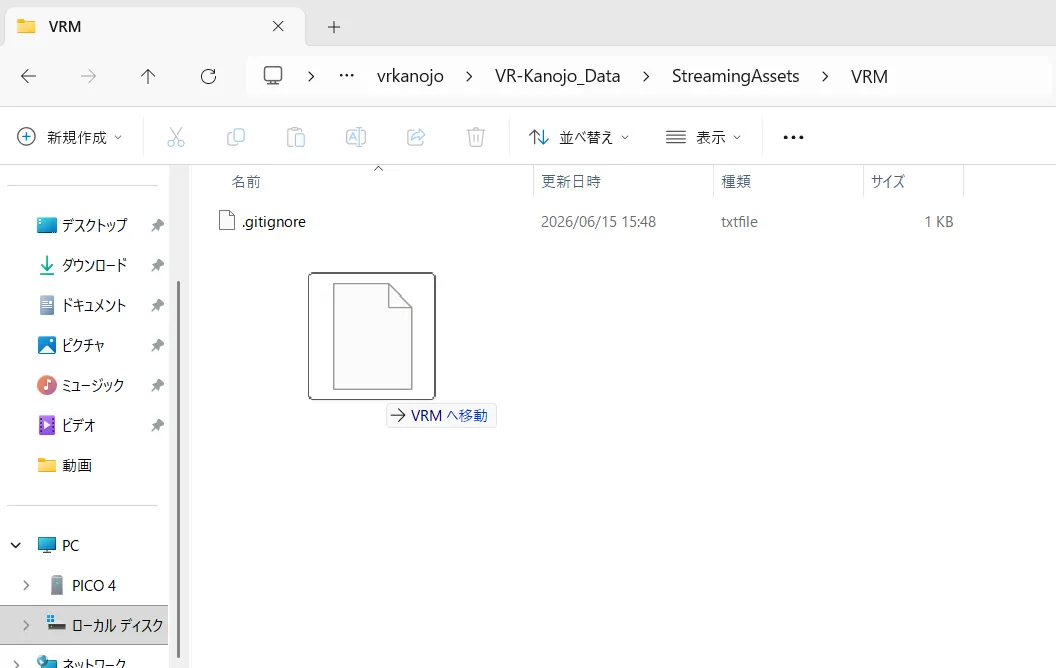
Place your .vrm file in the following location inside the game installation folder.
VR-Kanojo_Data\StreamingAssets\VRM
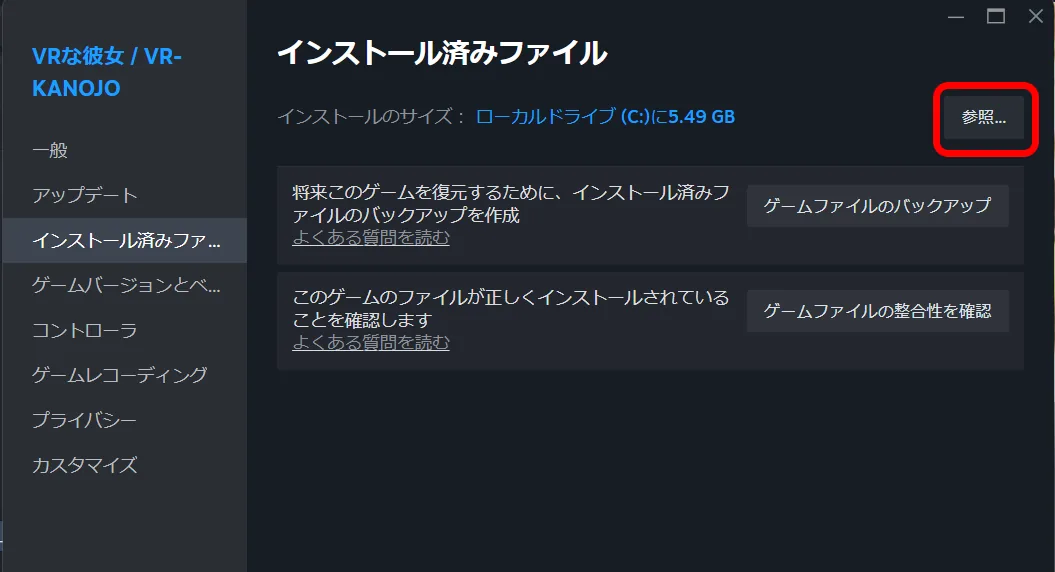
- If you are unsure where the game is installed, open the installation folder via Steam Properties → "Installed Files" → "Browse".
- Copy the
.vrmfile you want to display into theVRMfolder above.
Step 2Launch the game
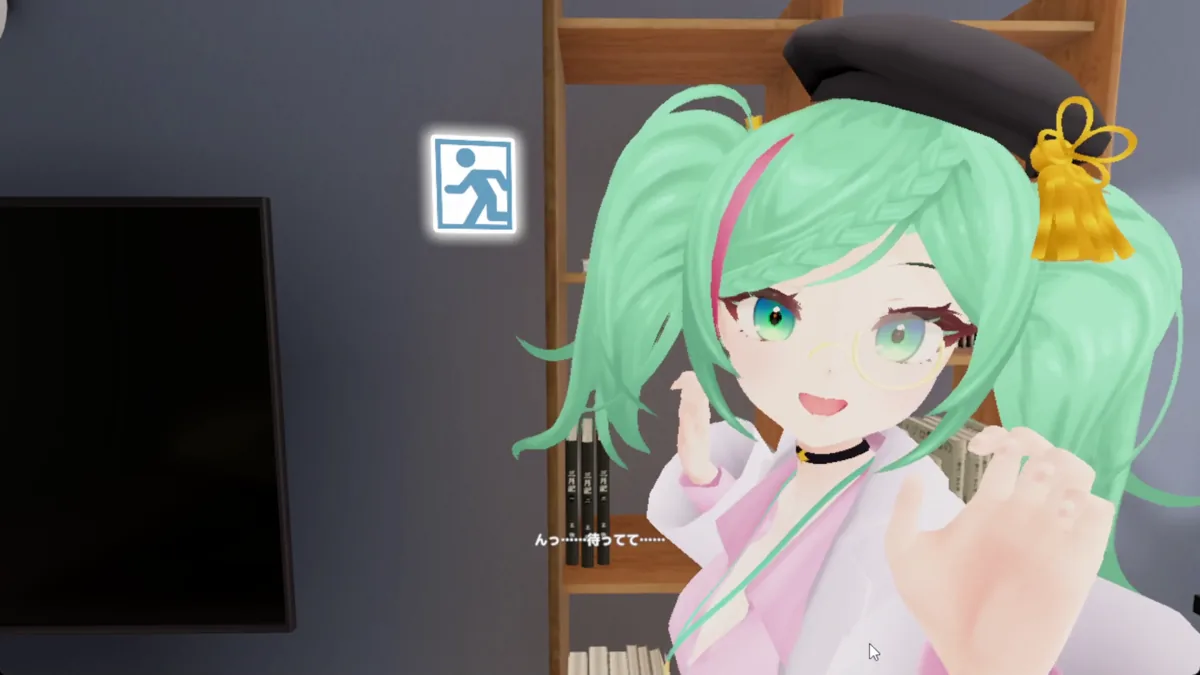
When you launch the game, the heroine will be displayed using the VRM model you placed.
MODELSUsing different models per role
The suffix at the end of the file name (just before .vrm) determines the role of the model. Case is ignored.
| Suffix | Role |
|---|---|
| (no suffix) | Heroine (normal) |
_n | Heroine (bath scenes, etc.) |
_m | Male role |
Naming examples
MyModel.vrm | MyModel is the heroine in every scene. |
|---|---|
MyModel.vrm + MyModel_n.vrm | Normal = MyModel / bath scenes etc. = MyModel_n. |
MyModel.vrm + Actor_m.vrm | Heroine = MyModel / male role = Actor_m. |
MyModel.vrm + MyModel_n.vrm + Actor_m.vrm | All three roles are replaced. |
If there is no _n / _m file, that role stays as usual (it is not replaced).
NOTESNotes
- If a VRM file cannot be loaded due to its specifications or data, the default heroine, Sakura, is shown automatically instead.
- If you change the file in the folder, restart the game to apply the change.
Returning to the standard heroine
Delete the .vrm file from the VRM folder (or move it out of the folder) and restart the game to return to the standard heroine, Sakura.