ABOUTAdult Toy
Integration
VR-Kanojo supports adult toy integration via StxOSC, a free external application that allows your adult toy to synchronize with in-game actions.
Adult toys supported by VR-Kanojo
SETUPPreparation
Step 1Prepare a compatible adult toy
Step 2Install StxOSC on your PC
- Download the latest version
StxOSC_20251114_R0.2.zipfrom here.If the filename has changed due to a newer version, download the latest
StxOSCfrom the same location. - Extract the ZIP to any folder.
- Run
StxOsc.exefrom the extracted folder. The folder structure should look like this:StxOSC_R0.2 ├── LwOSC │ ├── LwOSC.exe │ └── LwOSC.exe.config ├── StxOSC │ ├── Microsoft.Windows.SDK.NET.dll │ ├── Rug.Osc.dll │ ├── StxOSC.dll │ ├── StxOSC.exe │ ├── StxOSC.ini │ ├── StxOSC.runtimeconfig.json │ └── WinRT.Runtime.dll └── LwOSC.unitypackageNo installer is needed, and nothing is written to the registry.
How to uninstall?
Simply delete the entire StxOSC_R0.2 folder to uninstall.
HOW TO USEInstructions
Once you have your compatible adult toy ready and StxOSC installed, proceed with "Connecting StxOSC to your adult toy" and "Launching VR-Kanojo".
Step 1Connect StxOSC to your adult toy
[1] Bluetooth Setup
- Enable Bluetooth on your PC.
(Just turn on Bluetooth in Windows "Bluetooth & devices" settings. No manual pairing needed.) - Turn on your adult toy and put it in pairing standby mode.
Do NOT "Add" or pair the adult toy in Windows Bluetooth settings.StxOSC handles the connection itself. If the OS is already connected, the device may not be detected.
[2] Launching and Connecting StxOSC
- Launch
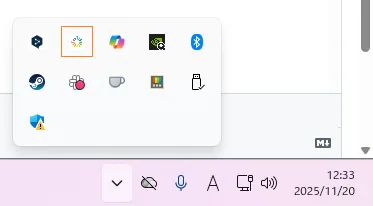
StxOsc.exe. - An ILLUMINATION icon will appear in the Windows system tray. Click it.
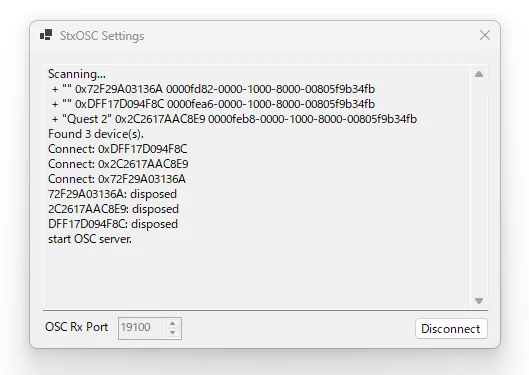
- The StxOSC console will open and begin scanning for compatible adult toys nearby.
When a connectable device is found, it will automatically attempt to connect.
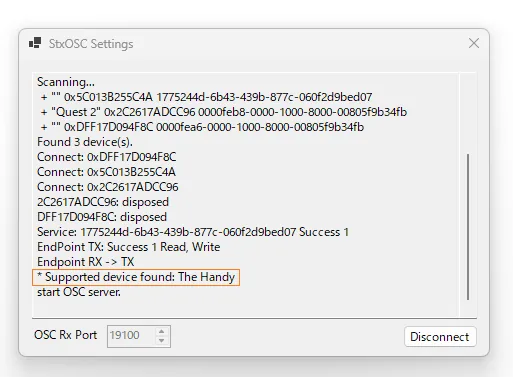
- Once connected, the device name and information will be displayed in the console area.
Troubleshooting
- Turn the adult toy off and on again
- Click Disconnect, then Connect again
- Check Windows Bluetooth settings to see if the adult toy is already paired. If so, remove it.
Step 2 Launch VR-Kanojo while StxOSC is running
What if VR-Kanojo was already running?
- Keep both VR-Kanojo and StxOSC running, then proceed to Step 3.
This guide shows launching
StxOSCbefore VR-Kanojo, but as long as both are running at the same time, the order does not matter.
Step 3Open "Settings" and go to the "Player" tab
In the Player tab:
- Turn "Adult Toy Integration" to "ON"
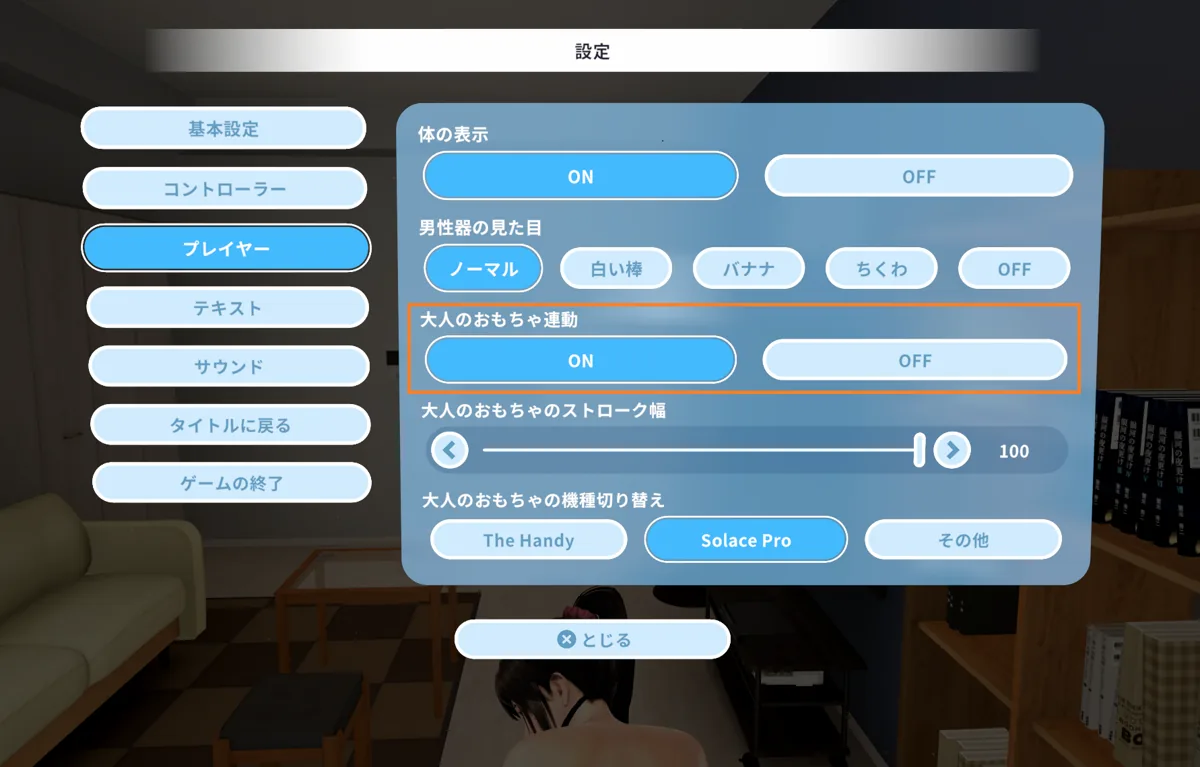
- Set "Adult Toy Model" to match your device.
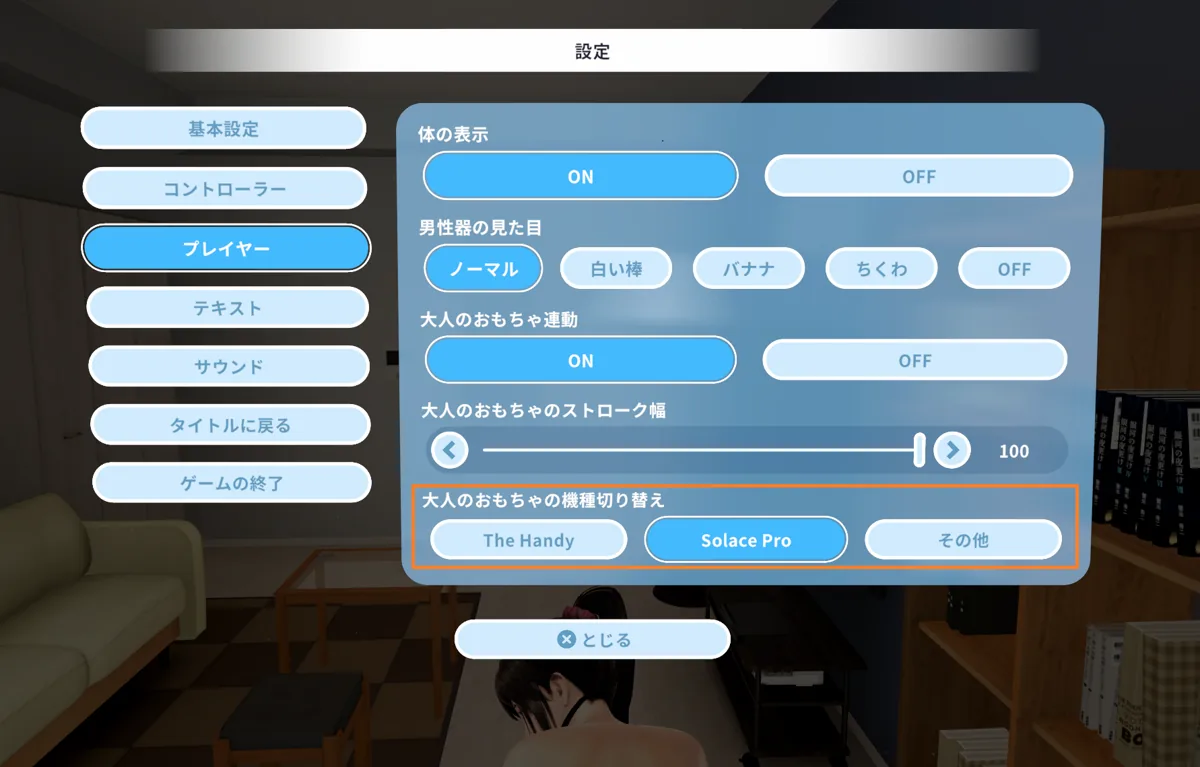
Step 4Go to an H Scene and start. The adult toy will move in sync with her movements.
How to stop the adult toy during H?
- Open Settings during an H Scene to pause the adult toy.
- Go to "Settings" > "Player" > Turn "Adult Toy Integration" off, then close Settings to stop the toy.